

A living room can be organized and still feel cluttered. The problem is often what remains visible, with cable boxes, gaming consoles, controllers, remotes and loose charging cords making the area around the TV feel especially busy during everyday use.
That visual noise can make a space feel less warm and comfortable. The living room should still work for movie nights, gaming and everyday entertainment with the whole family without making the screen and surrounding technology the main focus.
Not everything needs hiding. Books, photographs and decorative pieces can add personality, while electronics, cables and everyday accessories often benefit from more discretion. Thoughtful storage can create a calmer room without changing how you use it.
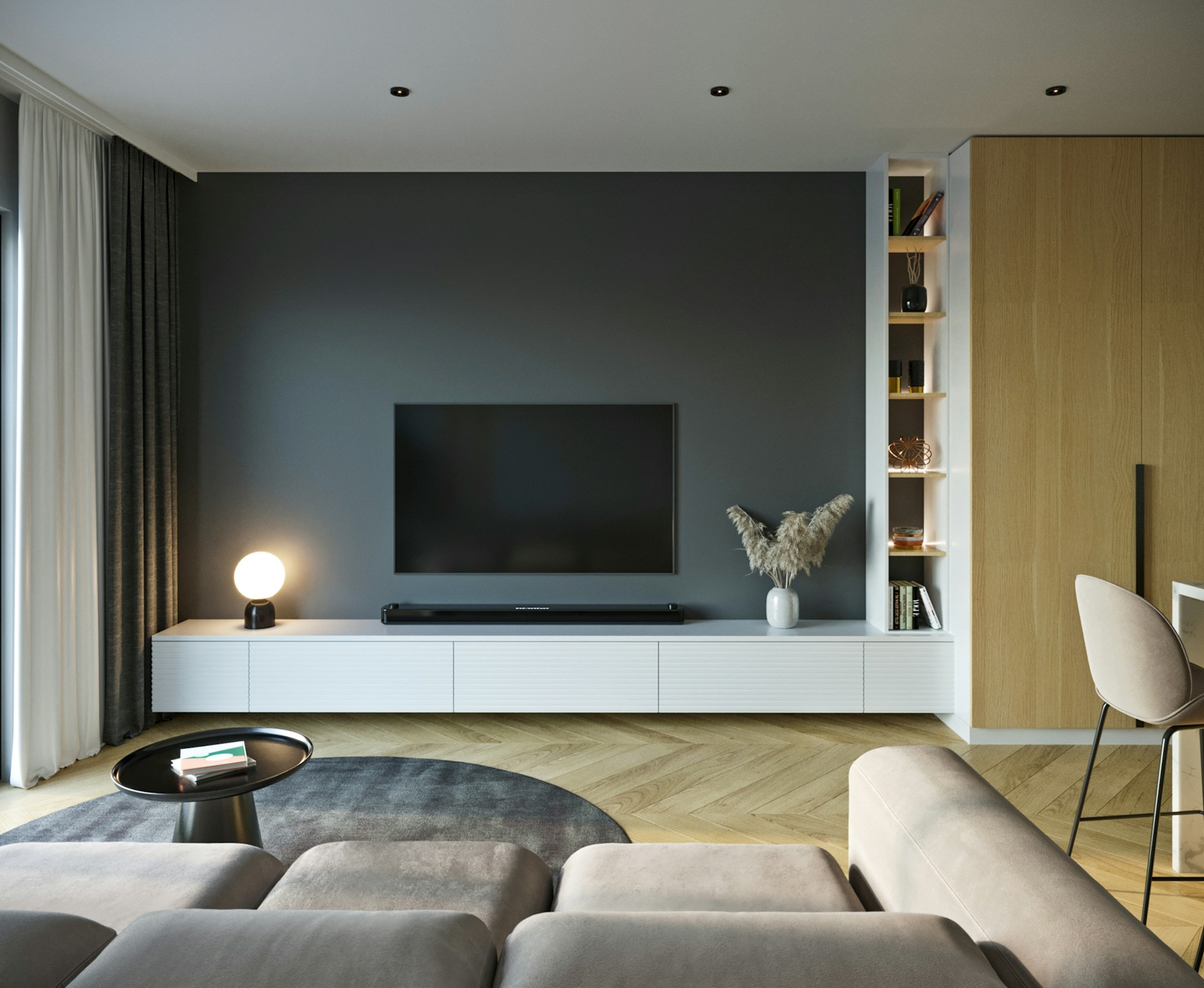
Hide the Clutter, Don’t Just Rearrange It
Open shelves can make clutter look neater, but everything remains visible. Closed cabinets are better for items you need nearby without wanting them to become part of the room’s decor.
The Martha Stewart Living Room Collection is a modular storage system from Flash Furniture, available in the Bedford and Lily Pond lines, that combines cabinets, hutches, and TV stands into a custom built-in look with solid wood frames, soft-close doors, and adjustable shelving.
The Bedford 6-Piece Modular Media Center keeps everyday media clutter out of sight by combining two fluted wood cabinets for concealed storage with two glass-door cabinets with soft-close hinges and two open hutches for display. That balance keeps cable boxes, streaming devices, and gaming consoles behind closed doors while leaving decorative items visible.
This approach makes closed cabinet storage rather than open shelving the default for everyday clutter. Bedford and Lily Pond also use solid wood frames, bases, and legs, helping the storage feel like substantial furniture rather than another place to stack electronics.
Make the Media Storage Feel Like Part of the Living Room
A tidy media setup can still feel cold if the furniture looks as though it belongs in an equipment room. Storage that reads as living room furniture, not as a media rack, helps the television blend more naturally into the wider space instead of visually taking it over.
Mixing concealed and open storage can make that difference. Closed cabinets handle practical items, while open sections provide room for books, framed photos and a few decorative pieces. The result feels more intentional than a wall filled entirely with screens and electronics. The Bedford 6-Piece uses that balance across one coordinated arrangement, with two fluted cabinets, two glass-door cabinets and two open hutches.
Color, proportions and surrounding furniture also influence how naturally media storage fits into the room as part of the overall design. Choosing finishes that complement existing pieces can make the entire setup feel more cohesive and visually balanced rather than visually separate.
The goal is for storage to become part of the room rather than simply framing the screen. Balancing concealed organization with carefully chosen personal items keeps the space functional without losing the comfortable, lived-in character that makes it feel more inviting.
Give Cables a Clear Path Behind the Furniture
Putting electronics away does not help much if their cords still trail across shelves or collect behind the television. Planning where cables need to travel before arranging the furniture can prevent the setup from looking messy again as soon as everything is plugged in.
The Bedford 6-Piece Modular Media Center includes rear cord management openings in its two open hutches. They give cables a clear route toward the back of the furniture, keeping them away from open display areas without requiring extra holes or added routing hardware.
The key is having somewhere for cords to go rather than simply hiding the devices themselves. Before setting everything up, a simple cord check can help:
- Identify every device that needs a power connection,
- Keep frequently accessed cables within easy reach,
- Decide which devices genuinely need to remain visible,
- Gather unnecessary excess cord length out of sight where the setup allows.
A little planning keeps the cords from becoming the next layer of visual clutter. It also makes individual devices easier to connect, access or move when the media setup changes later.
Plan Closed Storage Around Your Electronics’ Airflow Needs
Closed doors are useful, but not every electronic device has the same storage needs. Cooler-running devices such as streaming sticks, cable boxes, routers and soundbar remotes are easier to accommodate behind closed cabinet doors.
Gaming consoles working hard and AV receivers are different because they generate significant heat. Those devices need suitable airflow, whether that means a vented cabinet or an added fan. BDI’s Corridor line and AC Infinity’s cabinet fans are built for that case. The BDI Corridor 8175, priced around $3,299, has AV-specific airflow and ventilation design, while AC Infinity makes cabinet fans for setups that need additional cooling.
For everything else, the Martha Stewart Bedford 6-Piece Modular Media Center, at around $2,890, focuses on furniture-style organization and concealment. Its glass-door cabinets have soft-close hinges and adjustable interior shelves built for AV equipment, while its open hutches have rear cord management openings for routing.
That distinction is worth keeping in mind in a real family room. The best place for an electronic device depends on what it does, not simply whether you would rather have it out of sight.
Look for Storage That Can Be Added To, Not Just Replaced
Modular storage should make it possible to add useful concealed space as the living room changes, rather than replacing the entire setup when more storage is needed. A system that expands piece by piece can be especially useful when new consoles, controllers or other everyday items need somewhere to disappear.
The Martha Stewart Living Room Collection uses 2-piece through 6-piece configurations, allowing storage to expand without needing to replace the original pieces. The system is manufactured by Flash Furniture, a Ubique Group company, and combines solid wood frames, bases, and legs with soft-close doors and adjustable shelving.
At the larger end, the Bedford 6-Piece Modular Media Center measures 79.25 inches high by 126 inches wide by 16.75 inches deep. Four of its six pieces provide closed-door cabinet storage, with two fluted wood cabinets and two glass-door cabinets alongside two open hutches.
For context, the 139-inch Pottery Barn Aubrey wall unit costs around $6,472. At around $2,890, the Bedford 6-Piece delivers more closed-door concealment per piece at well under half that approximate price, while the broader 2-piece through 6-piece configurations allow the system to expand as storage needs change.
A Cozier Room Starts With Less Visual Noise
A comfortable living room does not need to hide every television or electronic device. It simply needs to keep technology from controlling how the space looks and feels.
For homeowners who want modular storage that looks like custom built-ins, Bedford and Lily Pond provide that coordinated approach with no renovation, no contractor, no DIY project. The collection is manufactured by Flash Furniture in six curated finishes, with soft-close doors and adjustable shelving helping everyday media storage feel more integrated into the room.
The goal is a room where technology still works for everyday life without becoming the main attraction. When cords, consoles and smaller devices have their place, the living room can feel calmer, warmer and more comfortable again.
FAQs About Living Room Media Storage
Will This Work for a Full Home Theater Setup, or Is It Just for a TV and Cable Box?
Yes. The Bedford 6-Piece Modular Media Center has adjustable interior shelving that can accommodate different types and sizes of media equipment. Measure your components first to make sure the available shelf space suits your setup.
Where Can I Buy the Martha Stewart Living Room Collection?
The Martha Stewart Living Room Collection is available through Target, Home Depot, Lowe’s, Best Buy and Walmart. Individual Bedford and Lily Pond configurations, choice in the six curated finishes, and specific product availability can vary by retailer and location.
Does the Martha Stewart Living Room Collection Require Assembly?
Yes. The furniture requires adult assembly and ships in multiple boxes, but creating the coordinated look involves no construction, cutting, trim, or painting. That means no renovation, no contractor, no DIY project beyond assembling the furniture.
What Finishes Does the Martha Stewart Living Room Collection Come In?
The Martha Stewart Living Room Collection comes in six curated finishes: Sharky Gray, Slate Blue, Fern Green, Bedford Gray, Black and White. These options provide more flexibility for coordinating media storage with existing furniture and decor.

Meg is an author at Cinnamon Hollow. She writes on a variety of topics sharing tips and ideas for daily life.